
Web Semantics designs, troubleshoots, and supports business networks: internet, Wi‑Fi, routing, firewalls, switches, VLANs, servers, printers, phones, cameras, storage, remote access, and multi-location connectivity.
Internet, routing, DNS, DHCP, switching, and cabling.
Wi‑Fi coverage, access points, roaming, and guest networks.
Firewalls, segmentation, VPN, and safer remote access.
Documentation, redundancy, vendors, and multi-location planning.
Slow internet, unreliable Wi‑Fi, dropped calls, failed printing, missing file access, remote-user problems, and unstable cameras or POS systems are rarely isolated problems.
The failure can live anywhere between the device, switch, access point, firewall, DNS, ISP, server, cloud service, vendor platform, or cabling. The business needs someone who can trace the path and resolve the cause.
The goal is not just faster internet. The goal is reliable connectivity between the people, devices, systems, vendors, and locations that keep the business running.
Internet failures, DNS issues, IP conflicts, overloaded equipment, and intermittent connectivity.
Coverage gaps, interference, poor access point placement, roaming issues, and overloaded wireless networks.
Printers, phones, cameras, POS systems, IoT devices, storage, and line-of-business equipment.
ISP, phone, camera, software, hardware, hosting, and cloud vendors pointing at each other.
Diagnose recurring outages, slow connections, DNS failures, routing issues, DHCP conflicts, cabling problems, and unstable device connectivity.
Improve coverage, placement, roaming, guest access, interference, channel use, password management, and wireless reliability.
Review firewall rules, VPN access, guest networks, VLANs, staff devices, cameras, phones, IoT equipment, and sensitive systems.
Stabilize printers, phones, cameras, POS systems, storage, servers, workstations, and specialized connected equipment.
Support VPN, site-to-site links, remote file access, cloud dependencies, shared systems, and locations that need to work together.
Work through issues involving ISPs, phone vendors, camera providers, software vendors, hardware manufacturers, hosting, and cloud platforms.
Web Semantics looks at the network as an operating system for the business: circuits, equipment, users, devices, servers, cloud services, vendors, locations, and failure points.
That may mean fixing a specific outage, cleaning up Wi‑Fi, documenting equipment, planning segmentation, improving remote access, coordinating vendors, or simplifying a network that grew without a clear plan.
We look beyond the obvious device and follow the connection through DNS, DHCP, switching, routing, firewall, ISP, server, and vendor dependencies.
The priority is root-cause stability, not another temporary reboot that leaves the same problem waiting to return.
Staff, guests, cameras, phones, IoT, servers, and sensitive systems often need cleaner boundaries and access rules.
Speed, mobile usability, layout issues, and technical friction that may prevent customers from taking action.
We review what fails, who is affected, when it happens, what equipment is involved, and which vendors or systems are part of the path.
We inspect DNS, DHCP, routing, switching, Wi‑Fi, firewall rules, ISP handoffs, cabling, servers, connected devices, and logs where available.
We fix configuration problems, remove avoidable failure points, improve access, segment where useful, and clarify ownership.
We provide practical recommendations for maintenance, redundancy, equipment replacement, vendor escalation, and future support.
Small businesses do not need unnecessary complexity. They need reliable connectivity, clear ownership, safer access, reasonable segmentation, recoverable documentation, and equipment that fits the environment.
Web Semantics avoids overengineering when a practical fix is enough, but we also identify where fragile equipment, poor Wi‑Fi design, missing segmentation, or undocumented vendor dependencies create avoidable risk.
These questions should answer the practical concerns a business owner has when connectivity problems keep interrupting operations.
Yes. We can review connectivity, DNS, DHCP, Wi‑Fi, switching, routing, firewall rules, ISP handoffs, cabling, and connected devices to identify the root cause.
Yes. We can review access point placement, coverage, interference, roaming, device load, guest networks, and configuration issues.
Yes. We can coordinate with internet, phone, camera, hardware, software, hosting, and cloud vendors when the issue crosses systems.
Yes. We can help with site-to-site connectivity, VPN, remote access, file access, routing, and dependency documentation.
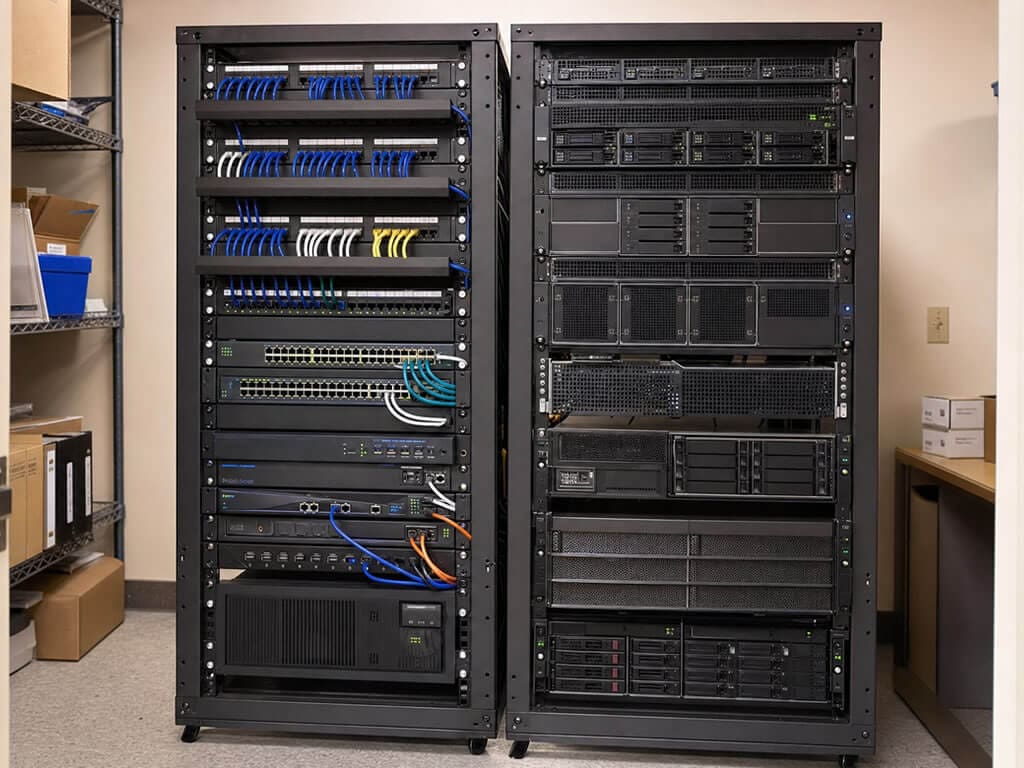
If slow connections, weak Wi‑Fi, unreliable devices, vendor confusion, or recurring outages are interrupting work, Web Semantics can review the environment and recommend practical next steps.
LiveChat Support
Online Now
Rather Speak To Someone? Call (360) 365-5005
Select what best matches your inquiry.
Enter your Full Name to get started